
From approval to publishing, in fewer steps
Approving shows exactly what goes out, every approved post comes with a Publish kit, and Planner looks and works the same on your phone and desktop.
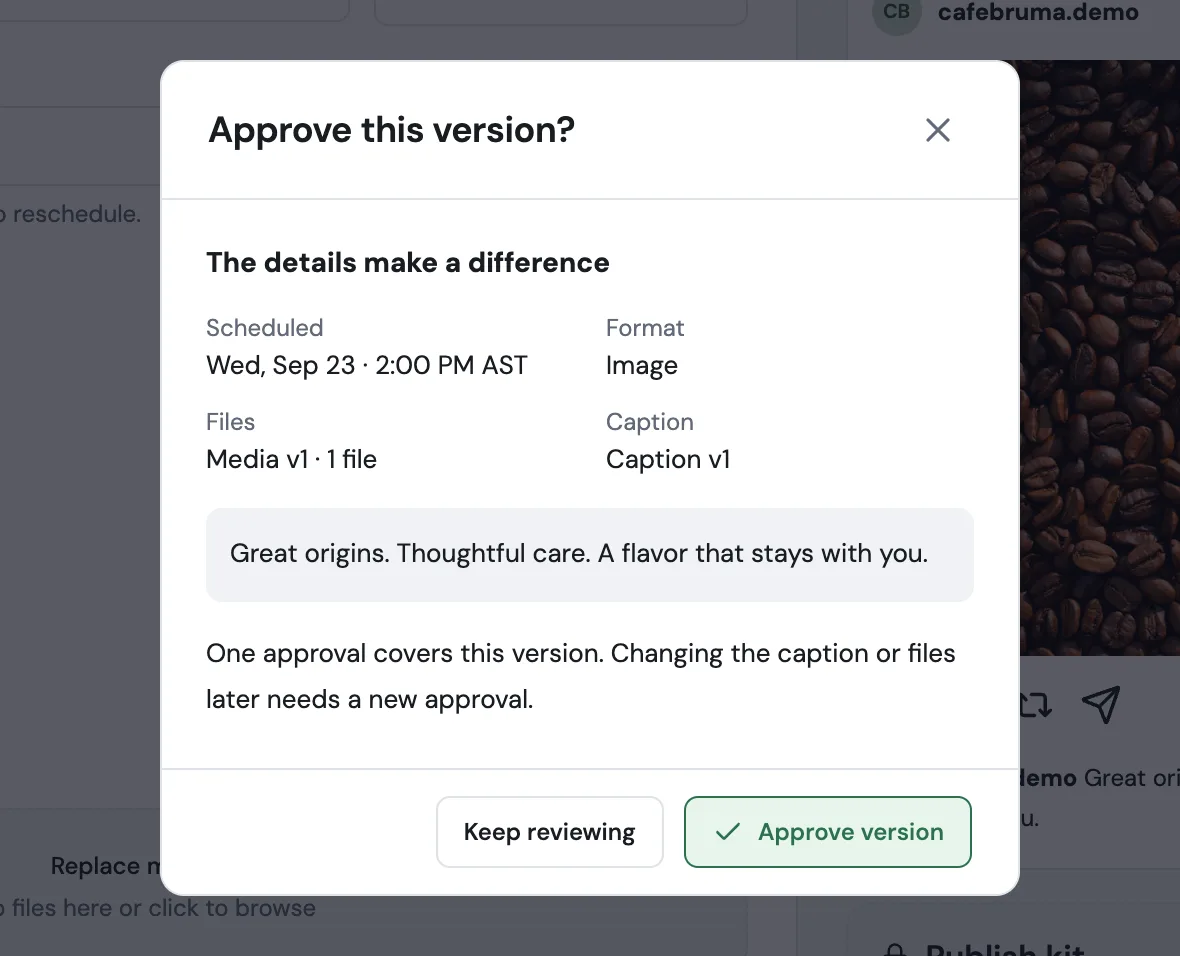
Approve with the full picture
Before you approve, a summary shows the date, the format, the file and caption versions and the complete caption, so nothing goes out by surprise. Changed your mind? Withdraw approval returns the post to review without editing it.
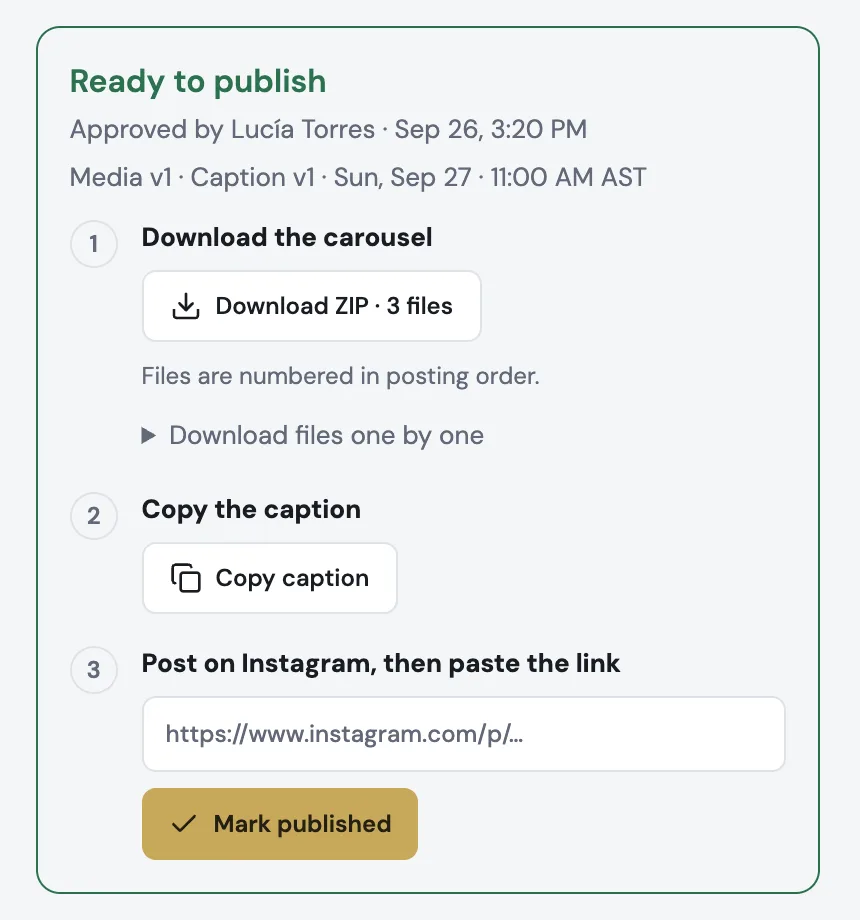
A Publish kit for every approved post
Download the files in posting order (a carousel arrives as one numbered ZIP), copy the caption, post on Instagram and paste the link to mark it published. Publishing is still done by you.
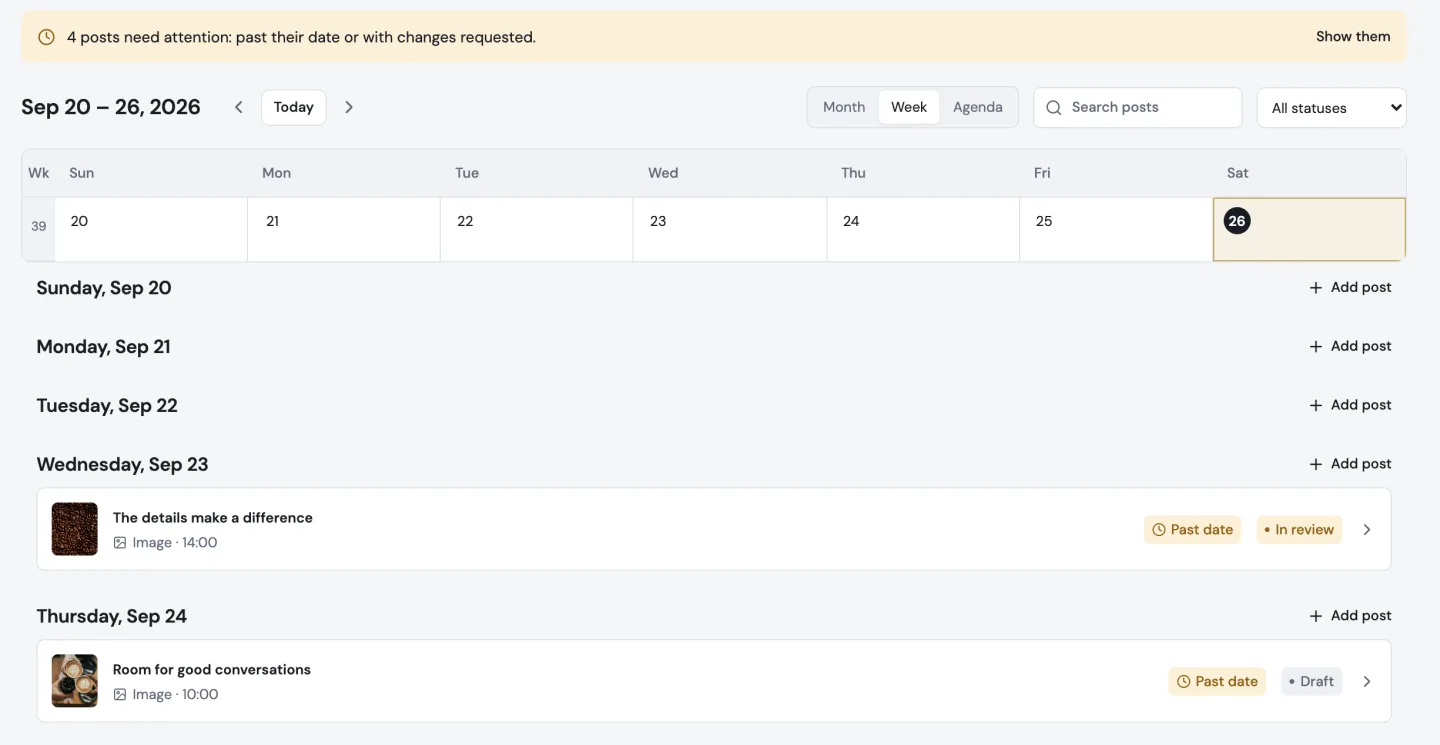
See what needs attention
Posts whose date has passed while they are still in progress or in review show Past date in amber, and a notice above the calendar takes you to them. Approving or rescheduling clears it.
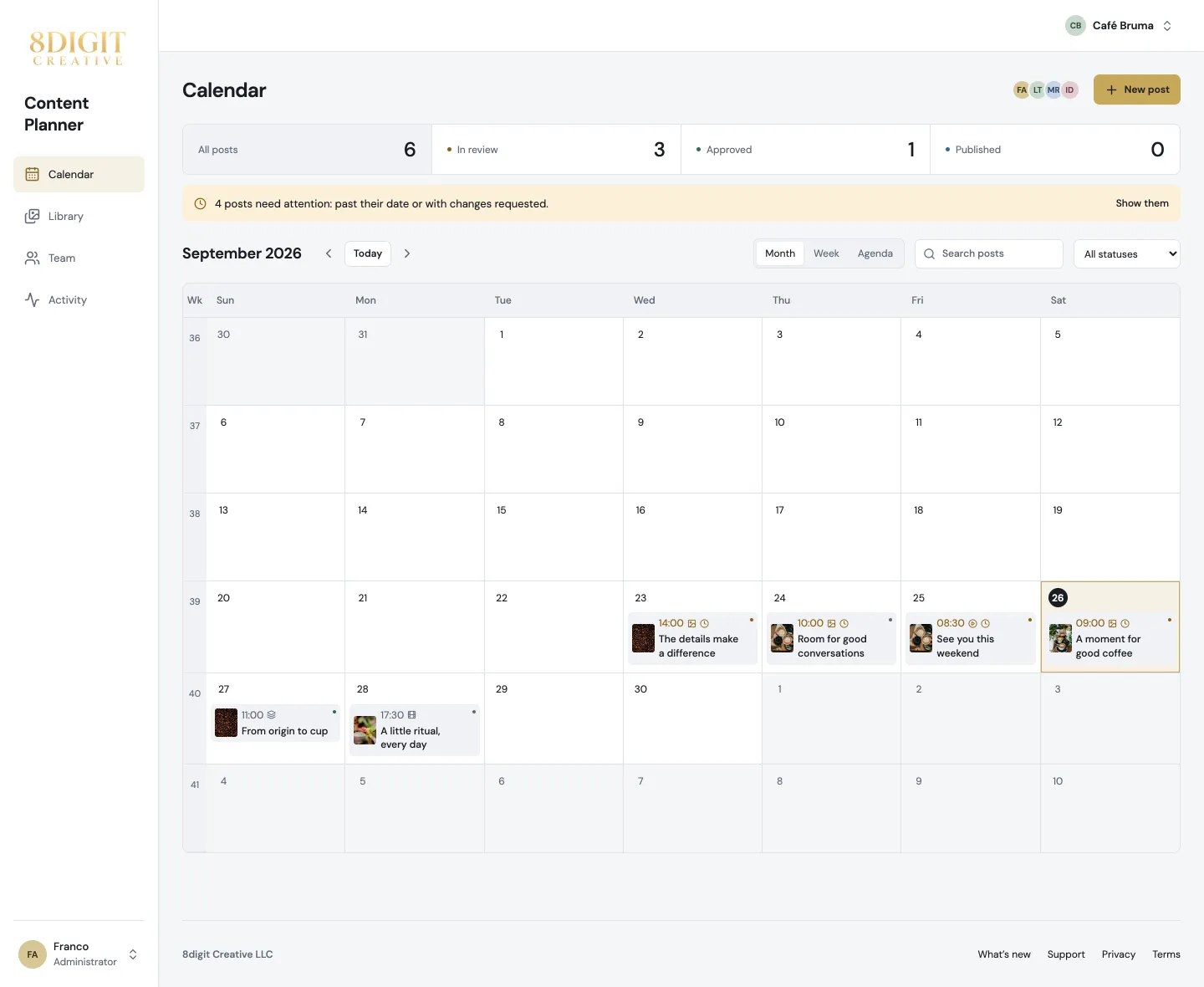
Your account, one tap away
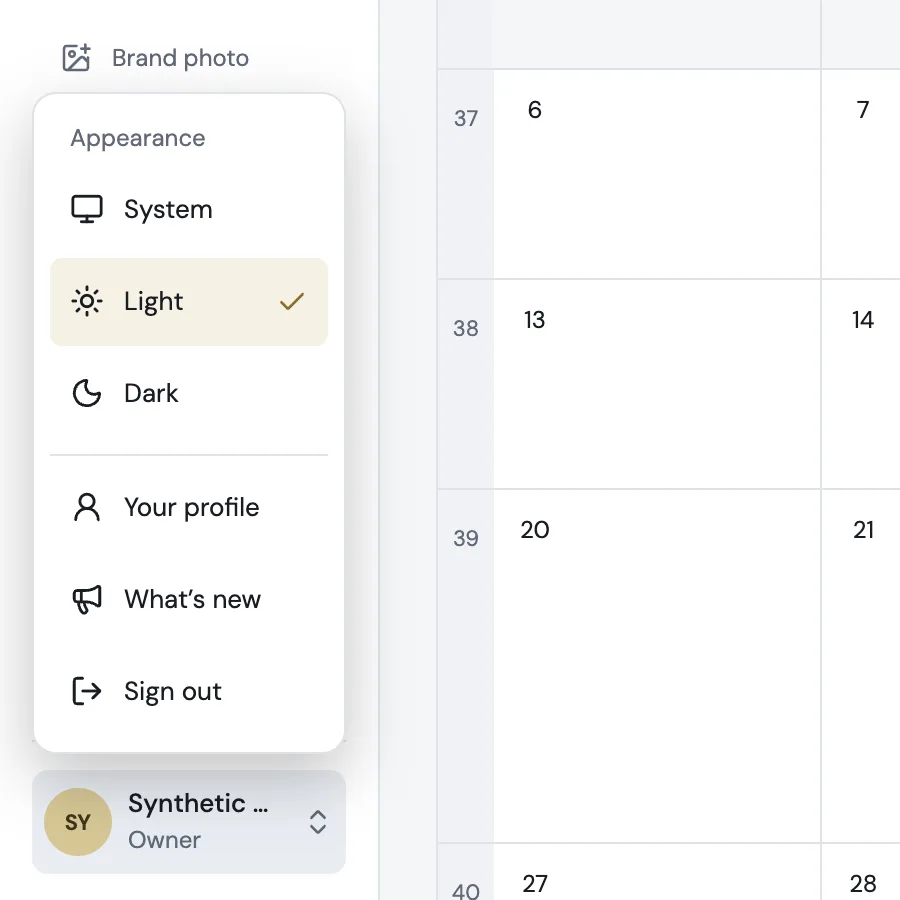
Tap your photo at the bottom of the menu to choose System, Light or Dark, open your profile, see what’s new or sign out. The menu now follows your appearance, and the brand switcher sits at the top right on phone and desktop.
Invitations start with the right permissions
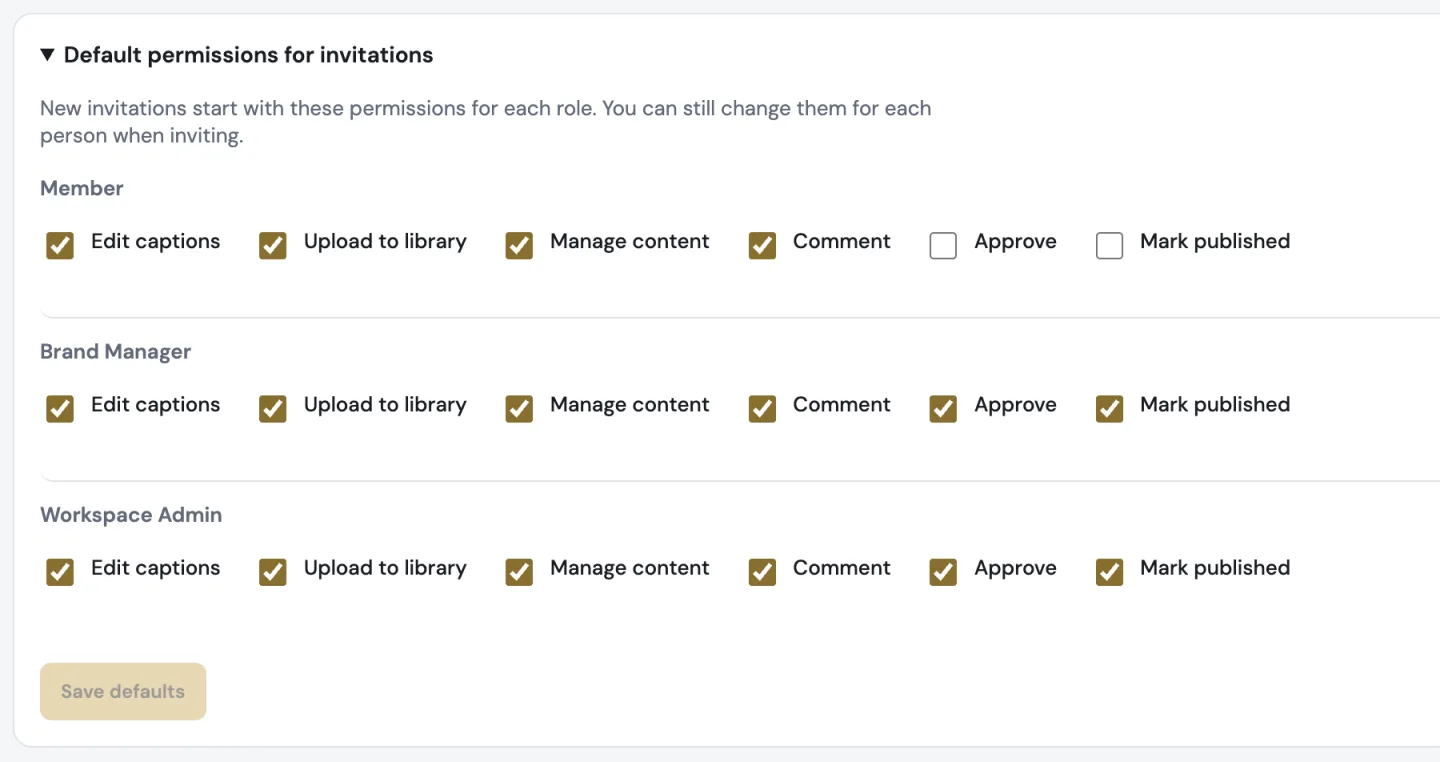
Workspace owners choose the default permissions for each role in Team. Every invitation starts from them, and you can still adjust them for each person.
Also improved
- Notifications for reviewers open the shared post directly, with its comments.
- Activity says what changed (the caption, the files or both) with the same version numbers as the editor.
- Team shows each person as a card with their photo, role and brands, with Invite someone at the top right.
- Copy an invitation link with one tap.
- Save your name and photo together; large photos are resized for you.
- On phones, a day’s posts open in a sheet within thumb reach, and every page has a single header row.
- Headers, footers and spacing line up the same way on every page.
- Moving between pages no longer flashes white in Dark mode.
- When Planner is updated while you work, a small notice lets you refresh when you are ready.