
Your creative workflow, now with AI
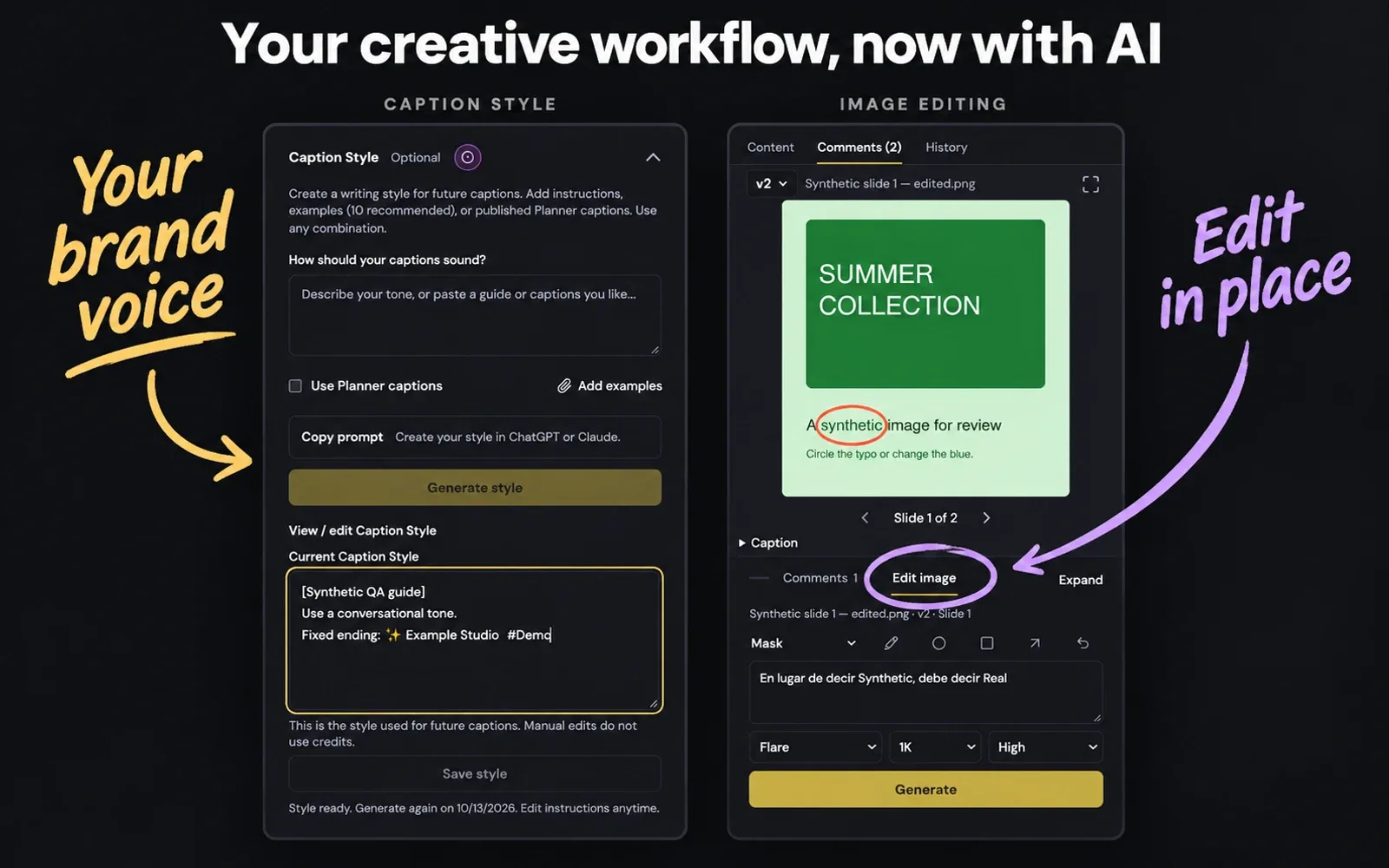
A first look at AI inside Planner: captions that sound like your brand and image edits that start with your feedback. Both are experimental, currently available in our internal workspace.
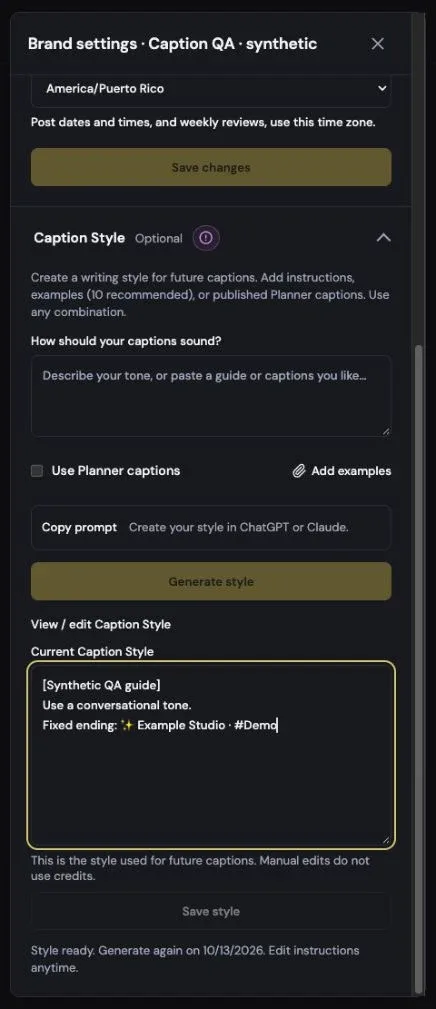
Your voice, in every caption
Build Caption Style from your instructions, examples or published captions, then fine-tune the guide yourself. Generate fresh captions in the post editor while keeping your brand’s voice close at hand.
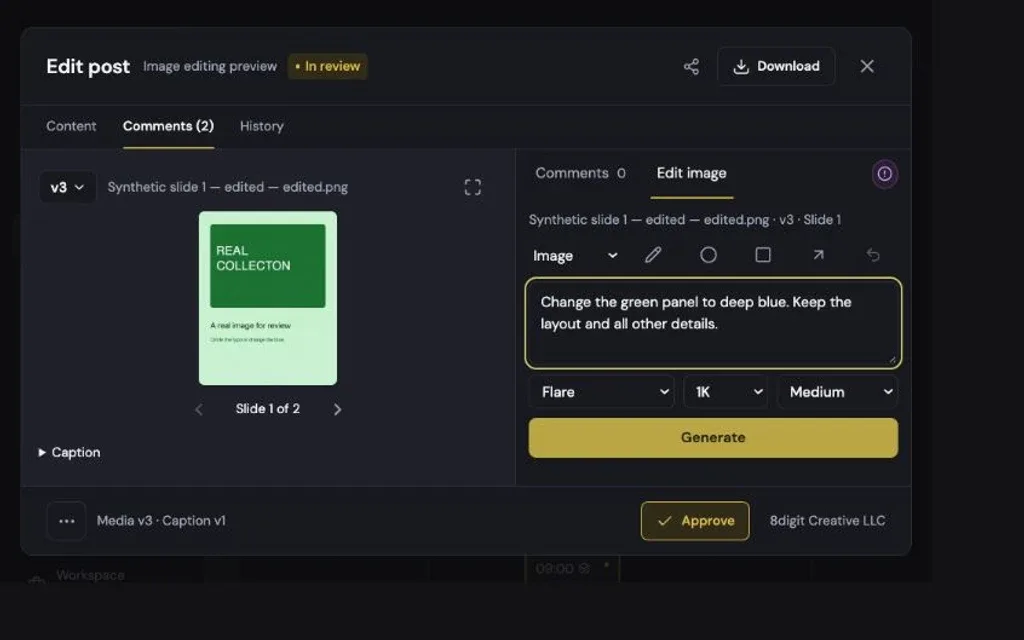
Turn feedback into the next version
Edit an existing image in Library or a post without leaving the review. Use a comment, draw annotations or select a masked area, then compare the result, refine it or accept it as the new version.
Also improved
- Both tools are marked Experimental. The internal team can see them; using them requires the corresponding brand permissions.
- Compact editing controls and clearer Original, Edited, Use this version, Discard and Refine actions keep the focus on your work.