
Remove a version without losing the file
Each version now has its own menu: delete the one you don't want and keep the rest, with Restore from Trash for 7 days.

A menu for each version
Open the version list and press ⋮ next to a version: Delete this version, and in Library, Delete all versions.
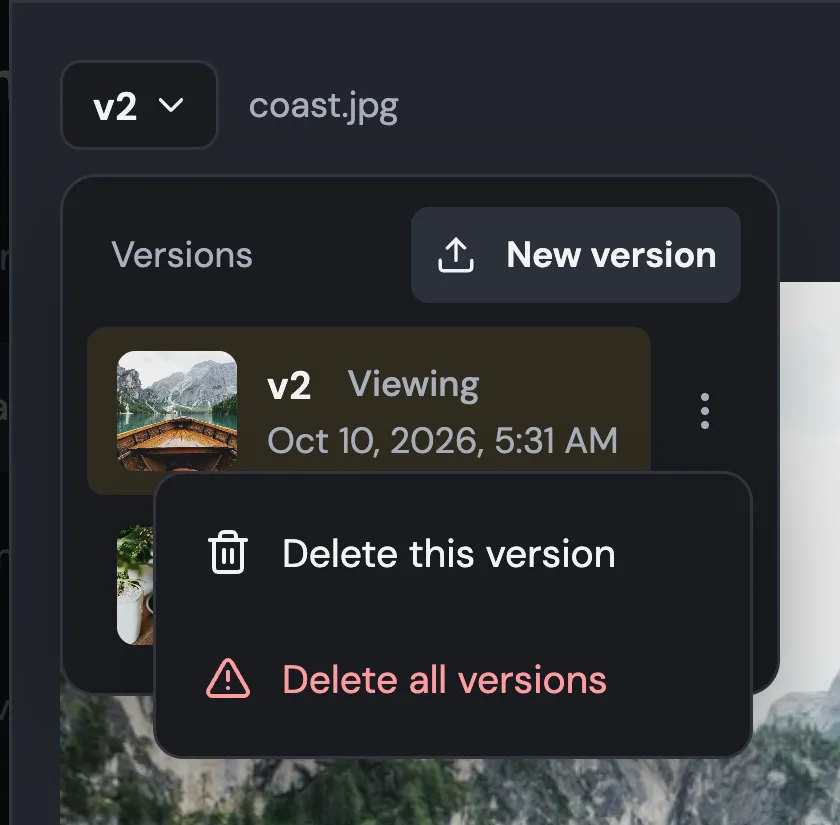
Delete this version
The version moves to Trash, where you can restore it for 7 days. The file keeps its other versions.
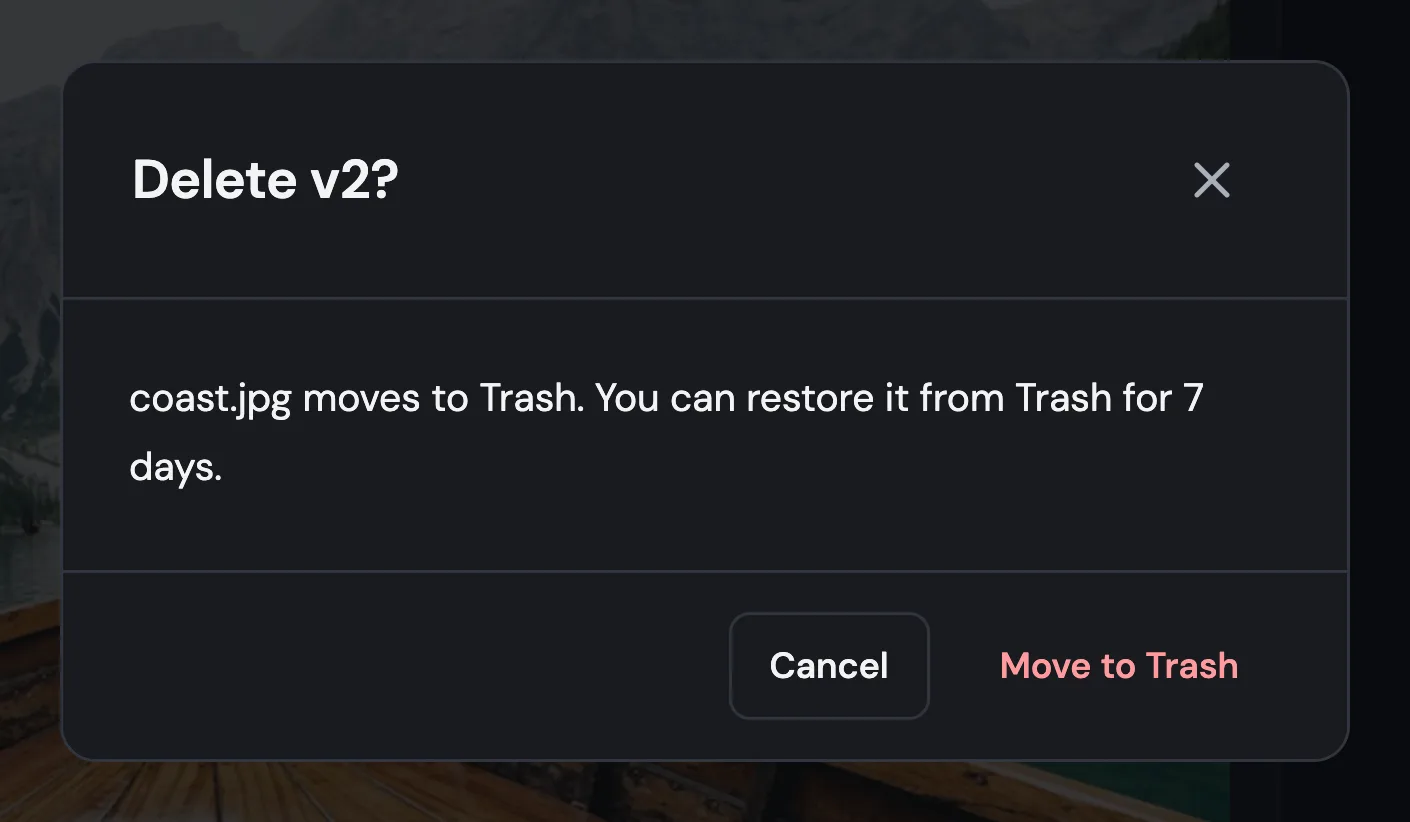
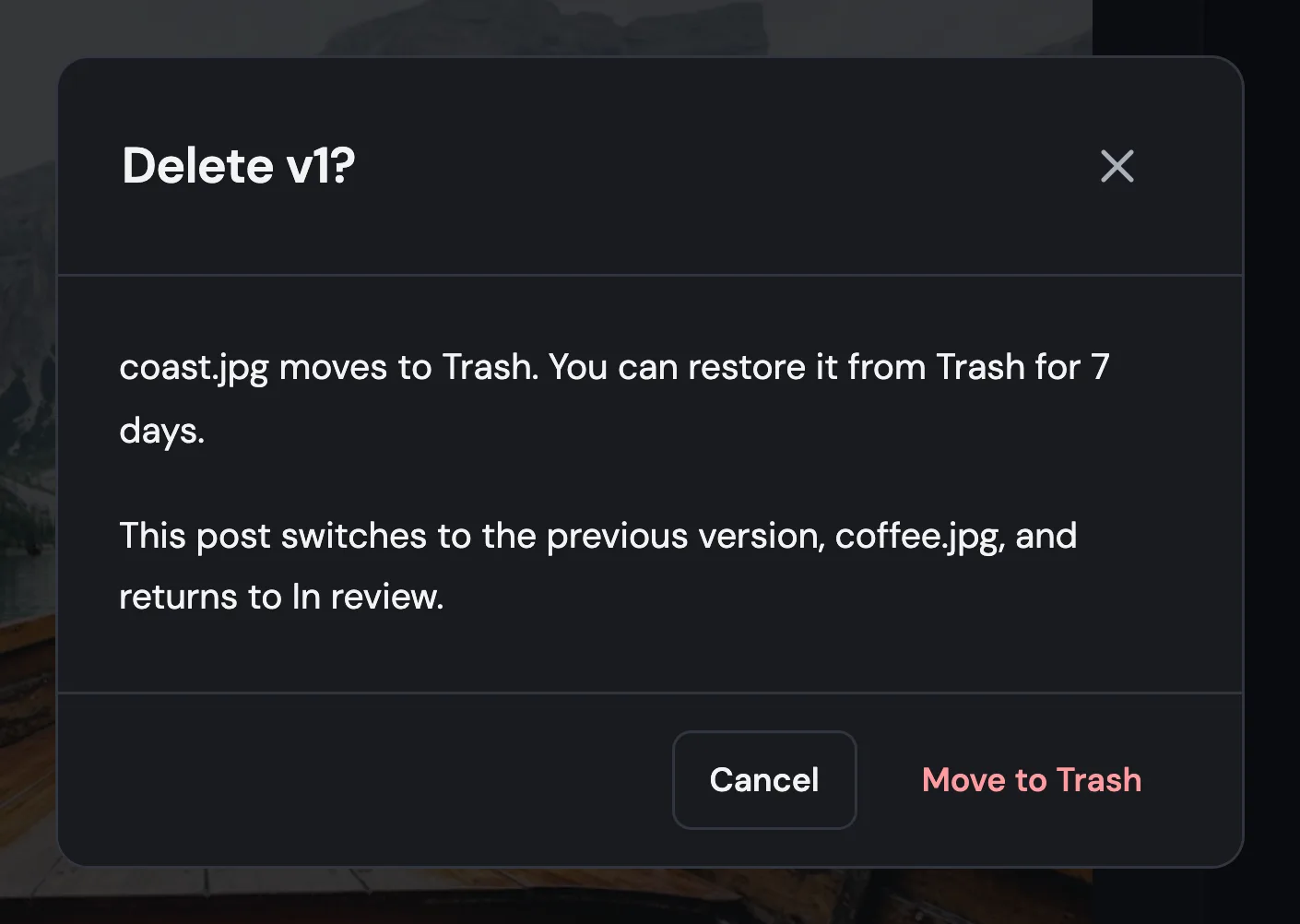
Posts go back to the previous version
If a post uses the version you delete, it switches to the previous one and returns to In review.
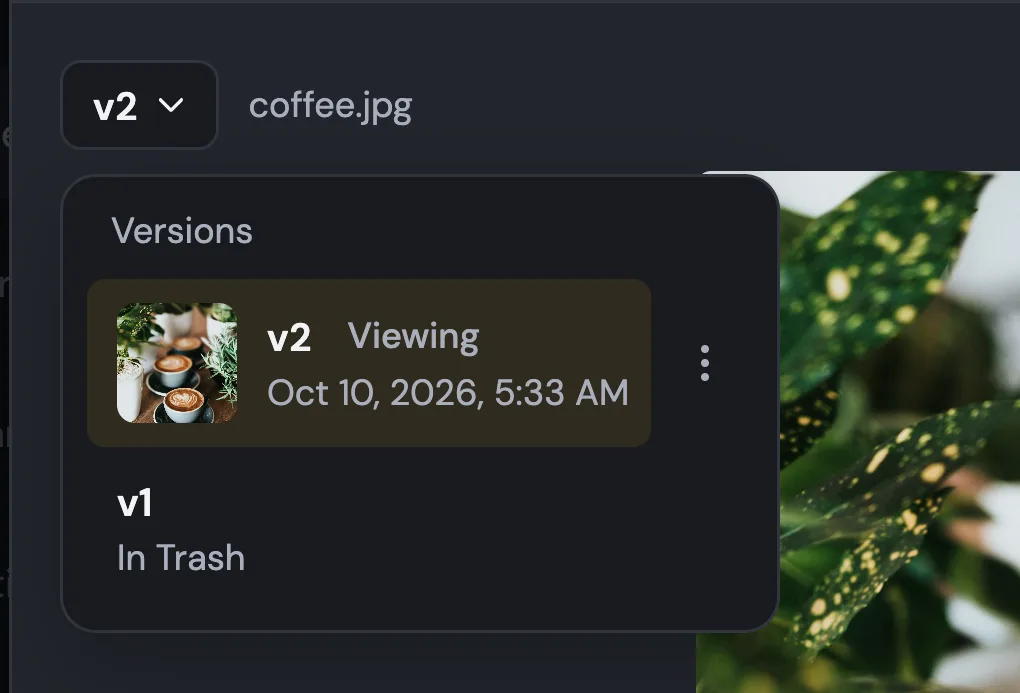
The history keeps track
The post's version list shows the deleted version as In Trash.
Also improved
- You hear about replies to your comments in Planner, not only mentions.
- Comment notices also appear while a post is open, right under its header.
- The @ list stays open while you type a full name.