
Save a post straight to Photos on your iPhone
On iPhone and iPad, the Publish kit now saves the video and its thumbnail to Photos in two taps, ready for you to post on Instagram.
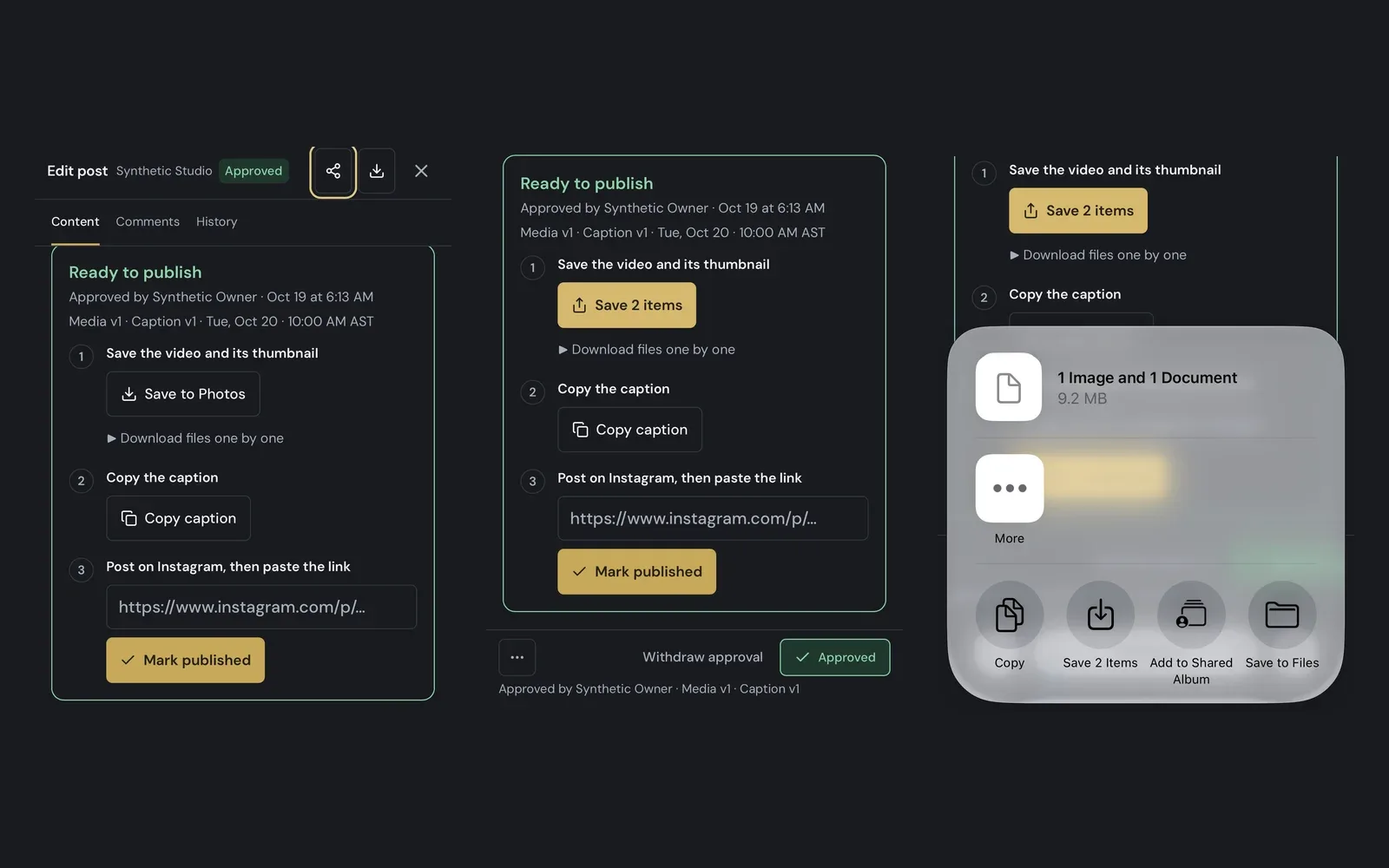
Save to Photos
Tap Save to Photos in the Publish kit. The button fills with its progress while it prepares the video and its thumbnail.

Both files in one go
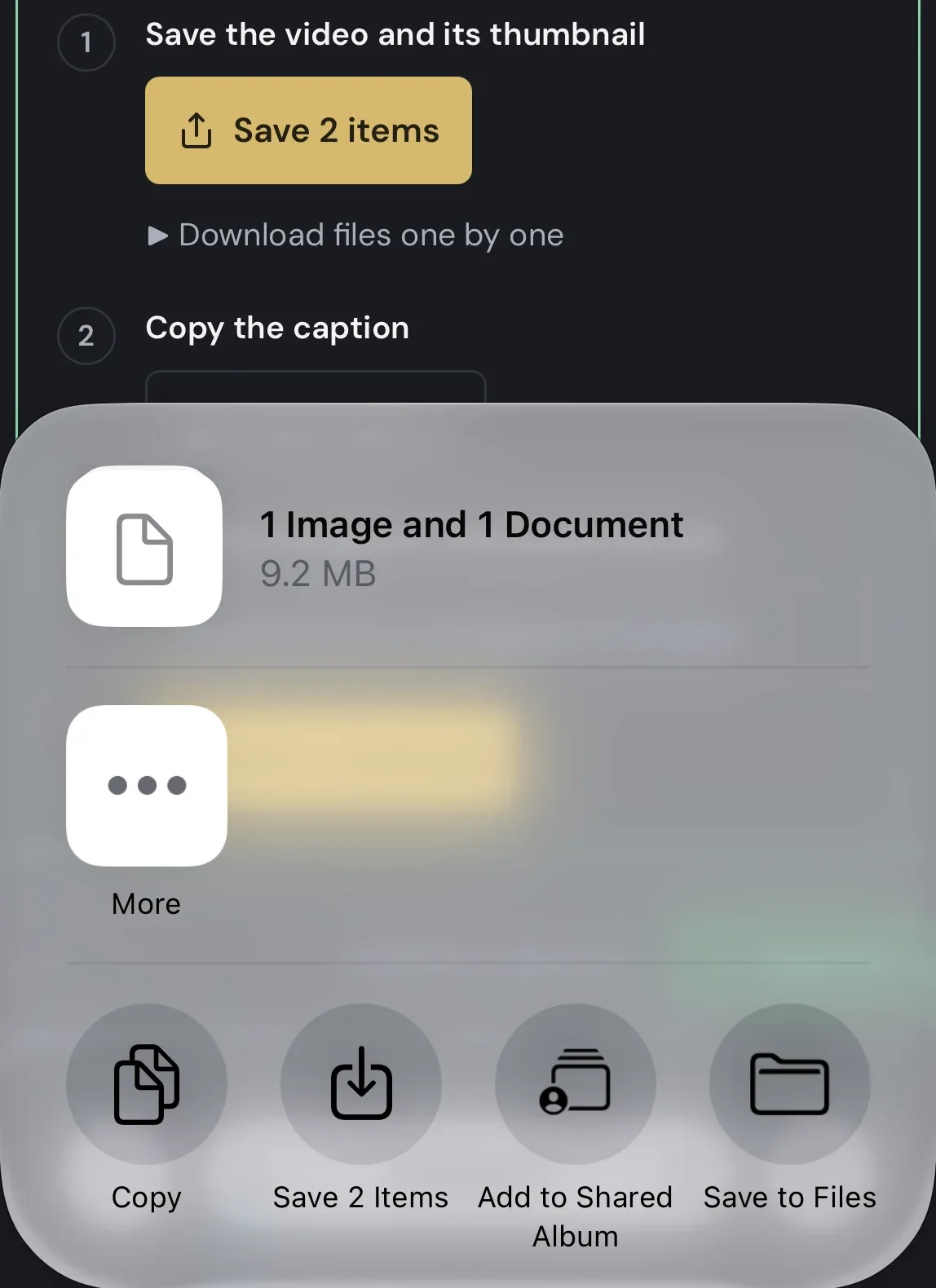
Tap Save 2 items and choose Save 2 Items. The video and its thumbnail land in Photos, where Instagram picks them up.
Also improved
- The Download button of a post and of Media review also save to Photos on iPhone and iPad.
- Prefer files? Download files one by one keeps the video and its thumbnail in separate rows.
- ZIP downloads in Library, Media review and carousels show their progress on the button.
- Manual folders in Library have their own Download: the latest version of each file, or every version.
- A download that fails now says what happened instead of showing the browser's error.