
Approved posts now publish on their own
Connect your social accounts and Planner publishes each approved post at its scheduled time, on every plan (Free includes 20 automatic posts a month). Your AI assistant can publish too, if you allow it.
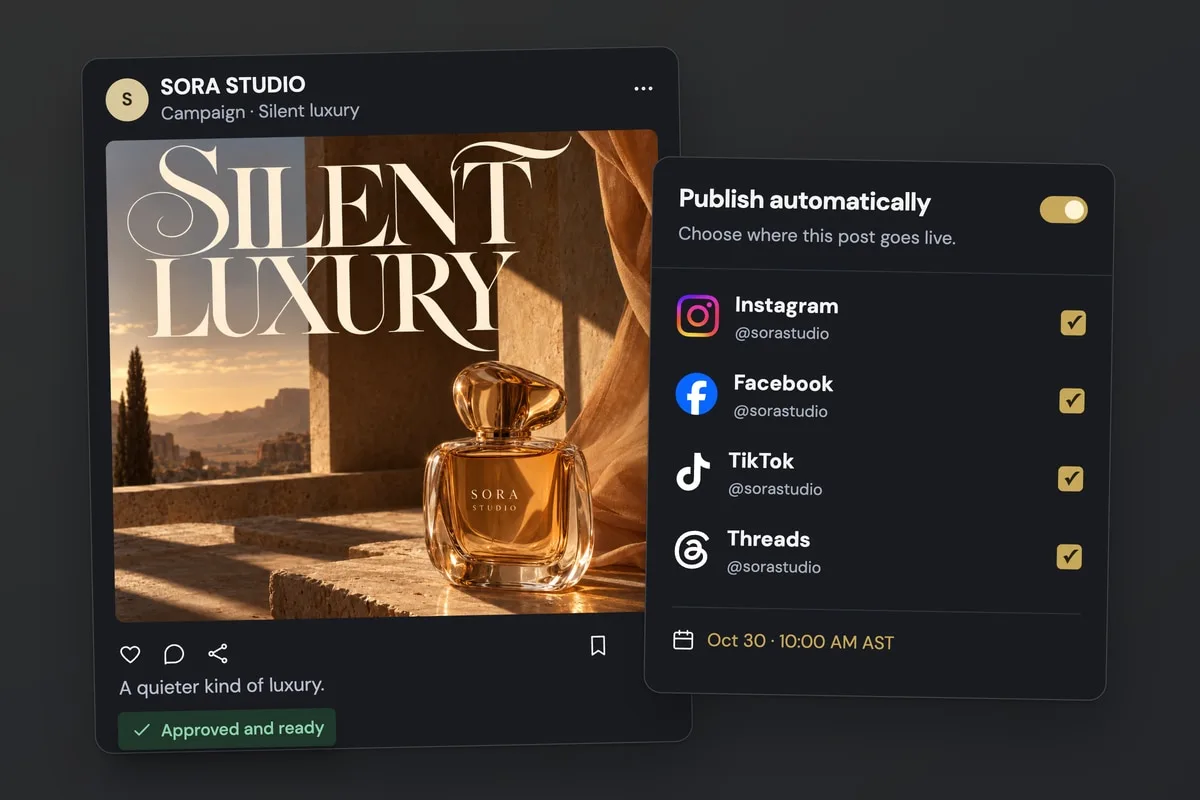
Choose where each post goes
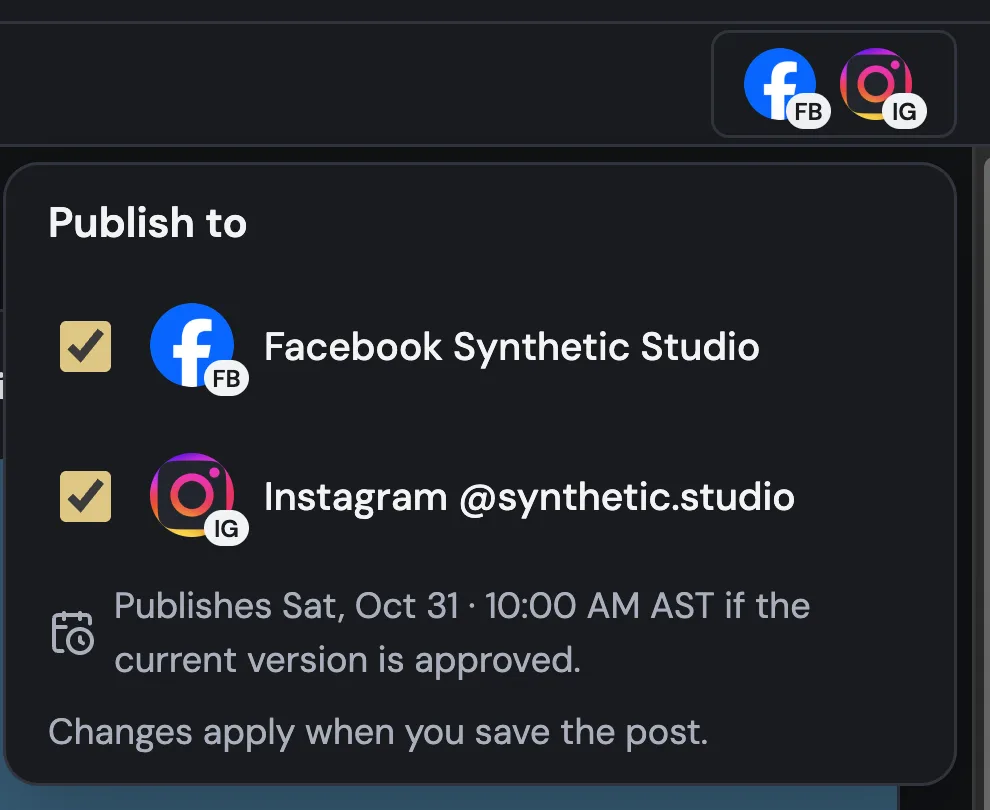
In a post, choose its accounts in Publish to. At its date and time, Planner publishes it if the current version is approved, and the Publish kit shows where it stands, with Publish now and Retry.
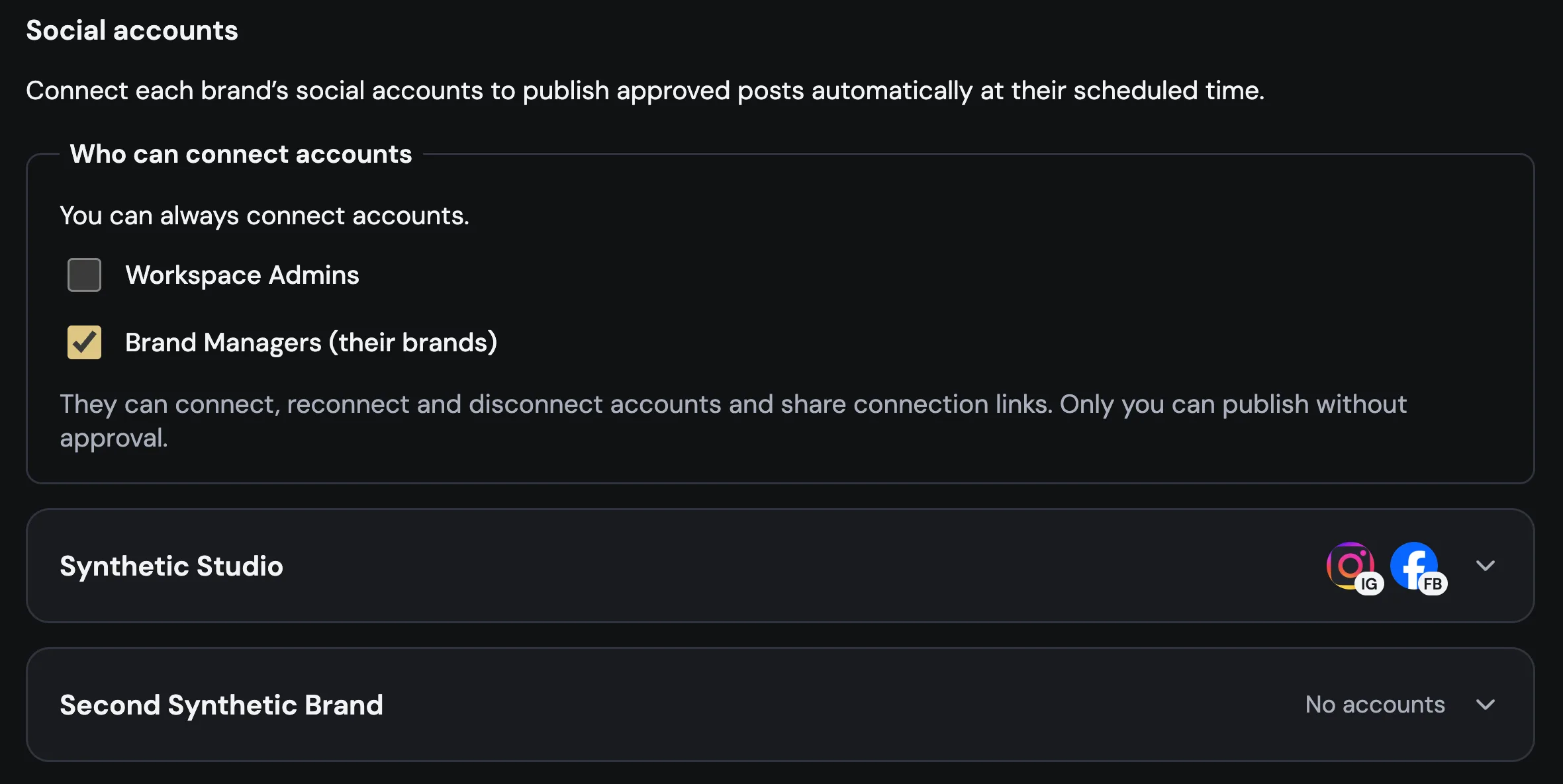
Connect accounts, choose who helps
In Workspace settings → Social accounts, connect each brand’s accounts, or share a connection link with whoever owns them. The Owner can always connect accounts, and can let Workspace Admins or Brand Managers do it too.
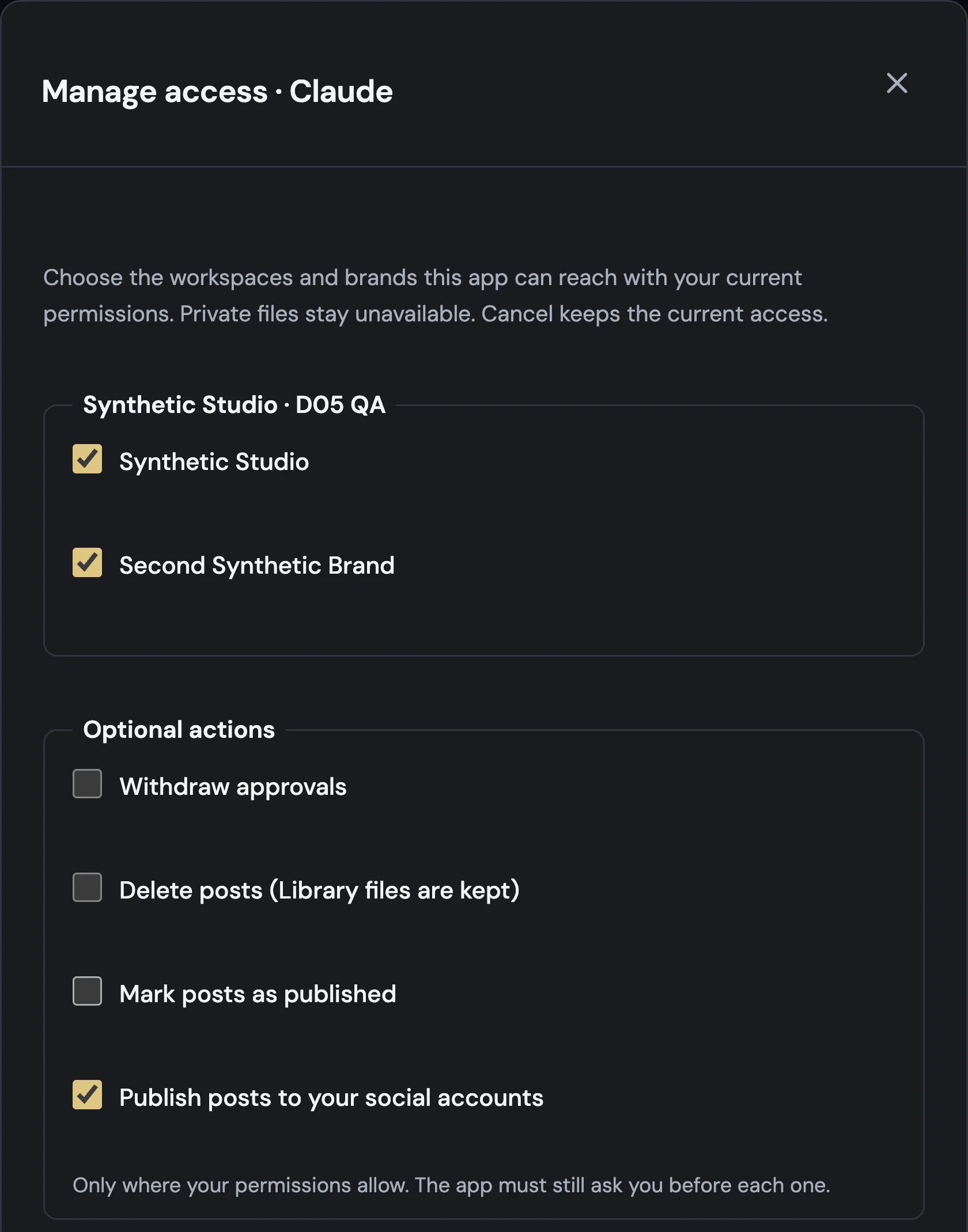
Your AI assistant can publish too
Allow Publish posts to your social accounts when you connect your AI assistant, or later in AI assistants → Manage access. It can then schedule a post, publish it now or retry the accounts that failed, in brands where you can publish and with the same approvals.
One place to change your plan
Change plan, Add seats, Add brands and Upgrade all open the same form in Plan & billing, and Usage takes you there too. If you already pay, Plans marks your plan and its buttons lead to that form.

Also improved
- Your AI assistant can see whether a post is scheduled, published or not published, with the link for each account.
- When many scheduled posts are due at the same time, they go out faster and each workspace gets its turn.
- Invite to team is for your team. To bring in a client, open the post and use Share for review; Guest reviewers are free.
- AI captions run two at a time in each workspace, without waiting for other workspaces.
- Images can be up to 8 MB, and Planner reduces bigger ones before uploading them.
- Usage now only shows what you use. If your workspace goes over its plan, you choose the brands that stay in Plan & billing.
- Back now appears on Name your workspace, checkout and Connect an app, and returns you without cancelling anything.
- Sign out always takes you to the sign-in page.
- More people on the same network can sign in at the same time.