
Your notifications, now on WhatsApp
Verify your number in Notifications and choose which notifications arrive on WhatsApp, by email or both. WhatsApp notifications come with every paid plan and the trial, and anyone can get sign-in codes there.
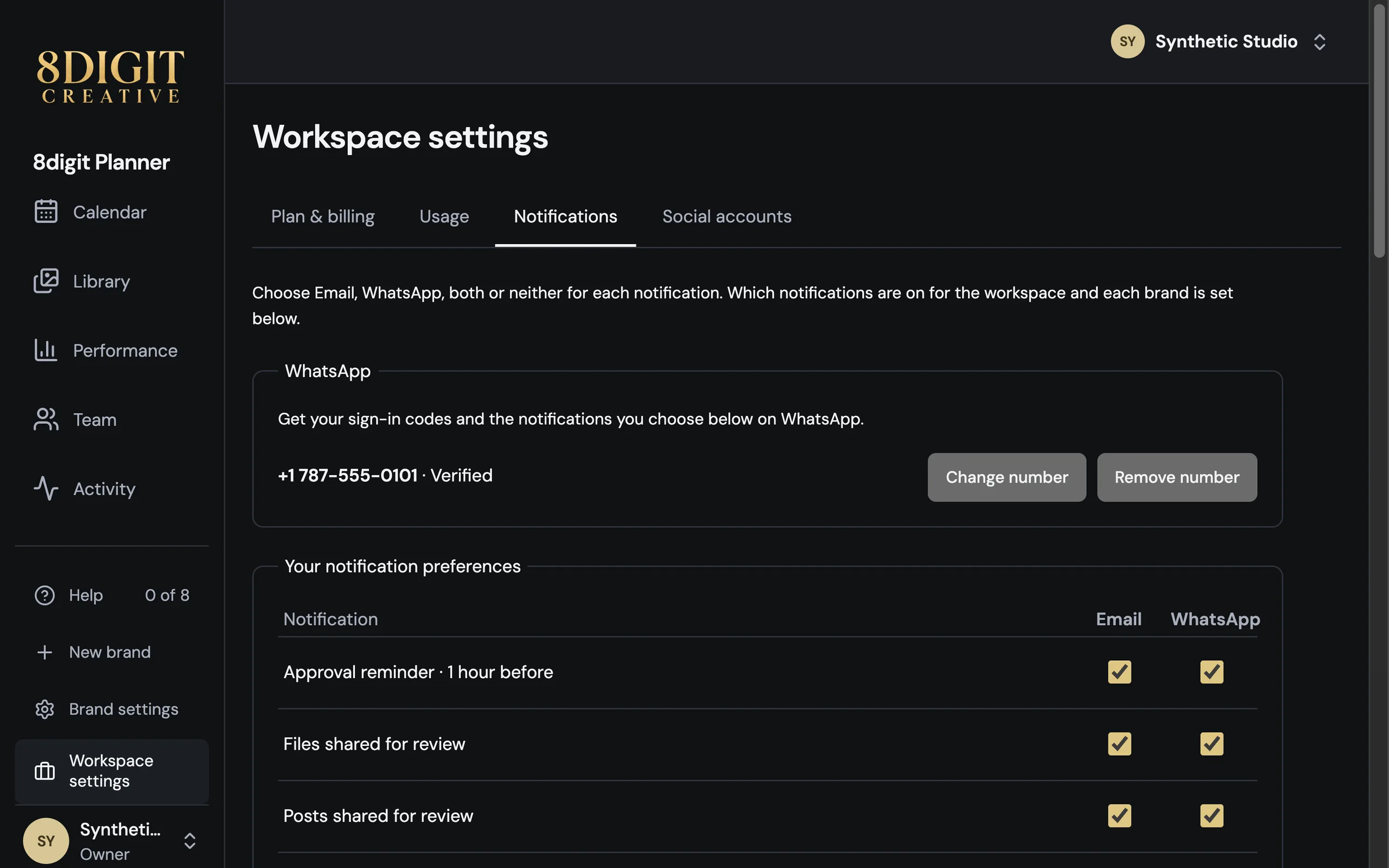
Verify your number once
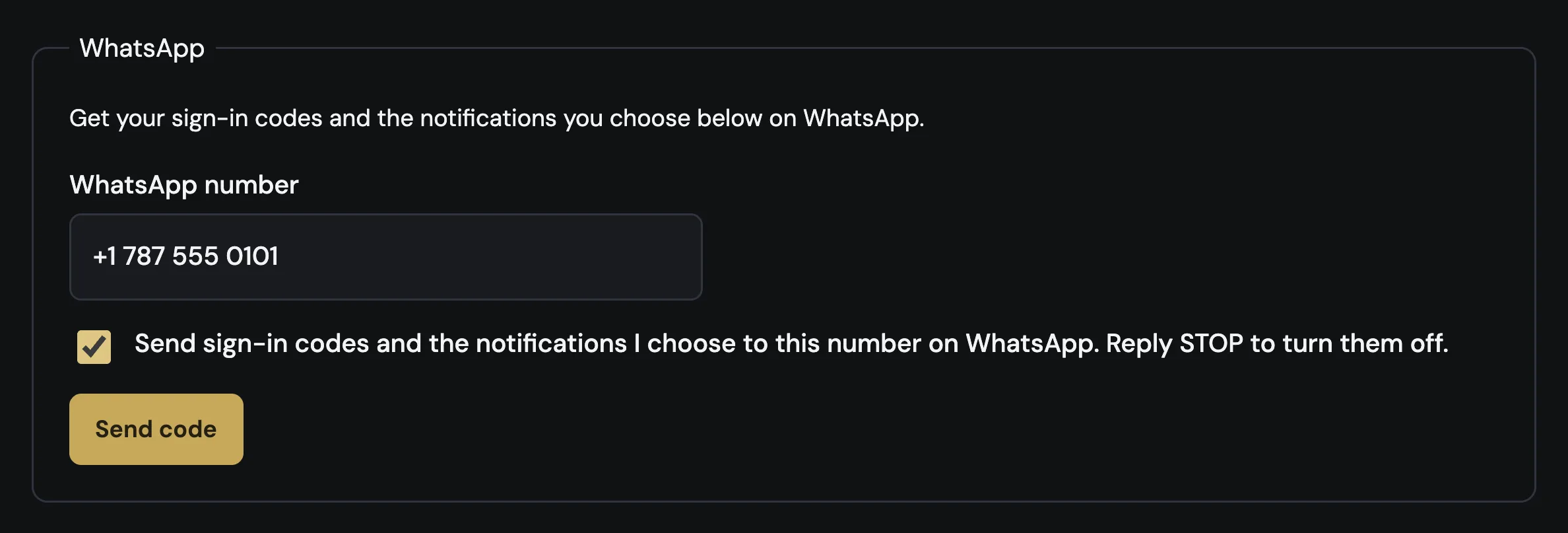
In Notifications, type your WhatsApp number and Planner sends you a code there. Once it’s verified, your sign-in codes arrive on WhatsApp, and you can still have one sent by email.
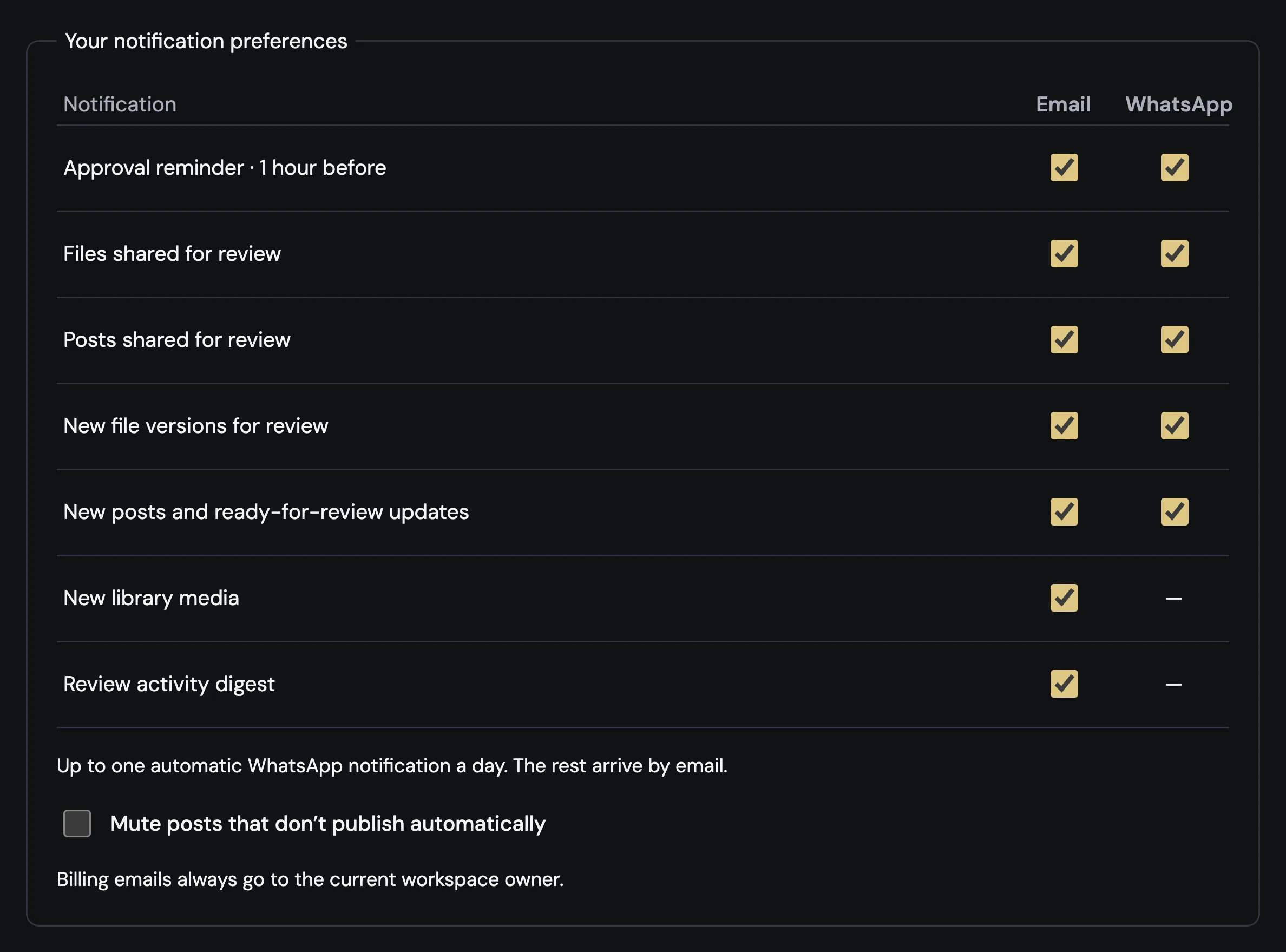
Choose WhatsApp, email or both
Pick the channel for approval reminders, files and posts shared for review, new versions and new posts. Up to one automatic WhatsApp notification arrives a day, the rest by email, and replying STOP turns WhatsApp off.
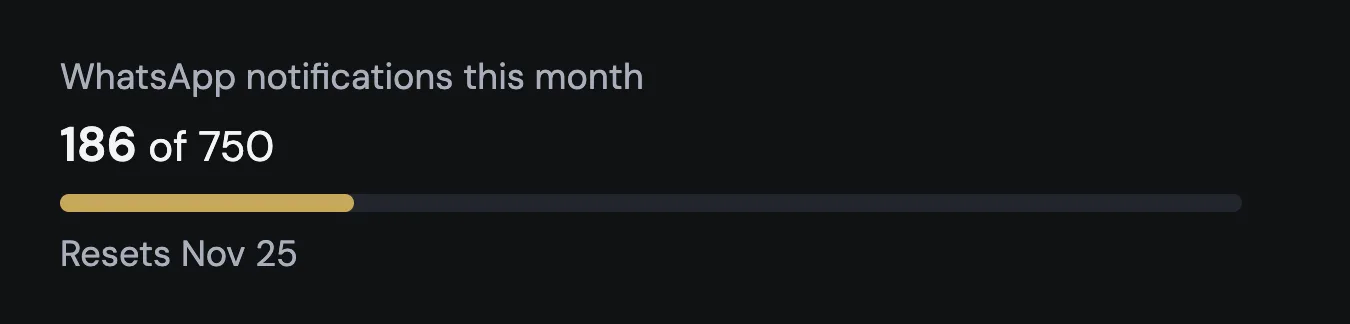
See how many are left
The workspace Owner sees in Usage how many WhatsApp notifications are left this month: 100 on Personal, 300 on Pro, 750 on Business and 2,000 on Agency, and 100 for the whole trial. Past that, they arrive by email.
Also improved
- Checkout asks for a phone number when you subscribe. WhatsApp uses it only after you verify it in Notifications.